Sandboxed Agent Workflows
An agent task runs code long before it proposes a patch. Give the whole task a boundary, then inspect what happened before accepting its output.
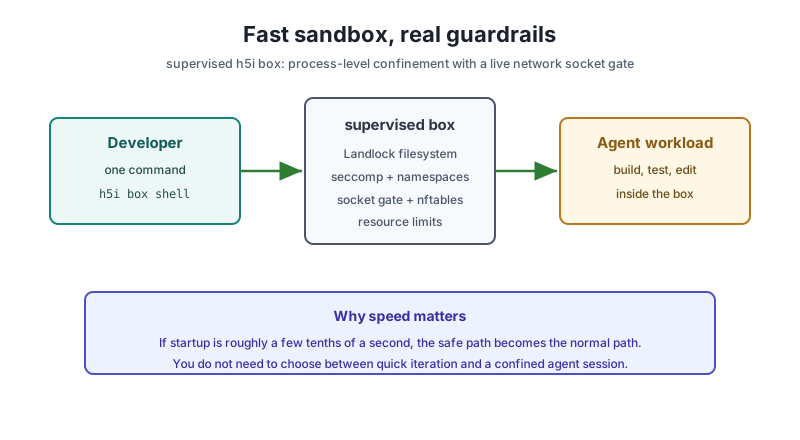
Use a box when agent-written or untrusted code will execute. The unit of isolation is the whole task: agent, repository, package scripts, tools, dev server, and browser. A clean final diff says nothing about what an install hook tried to read or contact. Begin with a Git repository whose baseline you recognize, and choose one agent runtime for the box.
1. Check the host and create a local box
curl -fsSL https://h5i.dev/install.sh | sh
h5i box probe
h5i box create first-box --from HEAD --profile agent-claude
h5i box status first-box
probe tests what this host can enforce. create freezes the base revision and resolves the profile before starting work. In status, check the selected isolation tier, whether the box shares the host kernel, writable paths, network destinations, resource limits, and policy digest. An explicit unavailable tier fails rather than silently changing tiers. For Codex, use agent-codex instead of agent-claude.
2. Run the task and read its execution record
h5i box shell first-box
# Inside the box: run the agent, build, and tests.
exit
h5i box run first-box -- cargo test
h5i box diff first-box
h5i box log first-box
The shell is the boundary for its child processes, including test runners and install scripts. box run is useful for a single repeatable command. Review the diff for what changed and the log for what ran, including failed tests and denied requests. A patch alone cannot establish that a test executed. When the task needs a service, start it in the same box session rather than silently relying on a host service.
3. Check in a policy for repeatable work
Put the permissions in .h5i/env.toml so reviewers can see the intended boundary. This profile grants a workspace write path, denies other network destinations, and permits one API host:
# .h5i/env.toml
[profile.review]
isolation = "supervised"

[profile.review.fs]
read  = ["/usr", "/etc"]
write = ["$WORK"]

[profile.review.net]
mode   = "deny"
egress = ["api.github.com"]
unix   = false

[profile.review.resources]
mem   = "4G"
procs = 256
wall  = "30m
h5i box create policy-check --from HEAD --profile review
h5i box status policy-check
h5i box doctor policy-check
h5i box rm policy-check$WORK is the box workspace. The exact filesystem grants depend on the runtime and host; inspect the resolved policy with status and doctor before using it for a task. Add a registry destination only when the build actually needs it. A denied telemetry request is not a reason to allow all egress. If the profile changes, create a new box: an existing box keeps the policy resolved at its creation.
Credentials are separate grants. Check h5i box secrets first-box for resolution state without printing values. Do not copy a host home directory or place a real service token in inherited environment variables. The policy manual explains the available fields and tier-specific enforcement. In particular, a hostname allowlist at the container tier relies on an HTTP proxy, while supervised and microVM tiers enforce at the network layer; read the reported tier before making a containment claim.
4. Review an untrusted pull request in a detached box
h5i box create review-1234 --pr 1234 --profile agent-claude
h5i box status review-1234
h5i box secrets review-1234
h5i box shell review-1234
# Inside the box: install from the lockfile and run the relevant tests.
exit
h5i box diff review-1234
h5i box log review-1234
The host fetches and pins the PR head; the box receives an independent repository without the inherited origin remote or your GitHub credential. Confirm status says the box is detached before running package scripts. Use the project's real install and test commands, then inspect denied destinations, exit codes, browser errors, and the patch in that order. A detached PR box cannot use the local propose/apply path; that refusal prevents an accidental landing in the parent checkout.
5. Observe browser work and take control when needed
h5i box create browser-demo --from HEAD --profile browser
h5i box shell browser-demo
# Inside the box: start the dev server and browser; keep this shell open.
In another host terminal, start the viewer and dashboard, then take and release browser control when the human must handle a step:
h5i box view browser-demo
h5i browser take browser-demo
# Interact in the viewer, then return control.
h5i browser release browser-demo
h5i ui
Keep the box session alive while viewing its browser and dev server. The local dashboard shows sessions and activity; the viewer shows the page and allows a human takeover. A takeover invalidates the agent's old page handles, so it must take a fresh snapshot afterward. Use a fresh browser profile inside the box rather than importing daily cookies, extensions, and saved credentials. The viewer and dashboard help you observe work; the box policy remains the isolation boundary.
6. Export, decide, and remove the box
h5i box export review-1234 --out ./review-1234
git apply --check ./review-1234/patch.diff
h5i box rm review-1234
h5i box rm first-box
Read report.md, patch.diff, and receipt.json before applying anything. The report puts execution and denials beside the proposed change; the receipt identifies the resolved boundary. Absence of a network tally at a tier that cannot report one is not evidence that no connection was attempted. Keep the bundle needed for review and remove the disposable environment after the decision.
If creation fails, rerun h5i box probe and inspect the requested tier. If dependencies fail to download, grant only the required registries or use a warm cache. If an agent cannot authenticate, inspect the runtime profile and box secrets. The box command reference and dashboard reference cover exact command options and limits.
Build and Verify a Web App
Start the development loop with a Rust kernel and a property to prove.
Review before applying
The patch and the execution record answer different questions.