AI-Powered Web Security Testing: h5i vs. Burp, ZAP, and Caido
These tools overlap, but the useful comparison is the work a tester wants to delegate and the evidence they need to keep.
Start with the investigator's loop
A useful web security workflow starts with a page or API, finds a request worth testing, changes one condition, observes the result, and keeps enough context to reproduce it. The products below can all participate. They differ in what they make easy for a human tester, an automated scanner, or an external coding agent.
| First task | Useful starting point | What to keep |
|---|---|---|
| Deep manual investigation | Burp Suite or Caido proxy workspace | Request history and human notes |
| Repeat a defined scan | OWASP ZAP automation plan | Context, scan configuration, alerts |
| Agent follows a browser workflow | h5i CLI browser and HTTP tools | Observed requests, mutations, responses |
Burp Suite: depth in a human testing platform
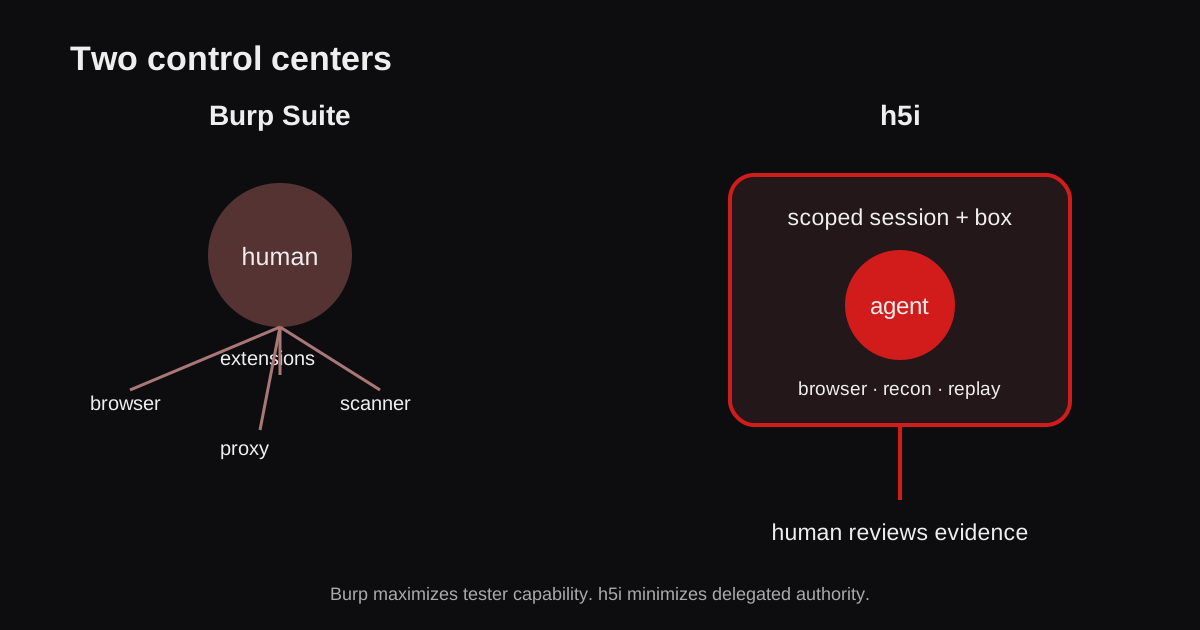
Burp's proxy-centered workflow puts captured traffic beside Repeater, Intruder, scanners, extensions, and manual investigation tools. It is a strong fit when a person wants a mature testing workspace and broad specialized capabilities. Burp also has AI features, including Burp AT, so agent support is not unique to h5i. The choice is whether the testing workspace or a CLI-driven browser and HTTP session should lead the investigation. See Burp's documentation for current edition-specific capabilities.
OWASP ZAP: repeatable scanning
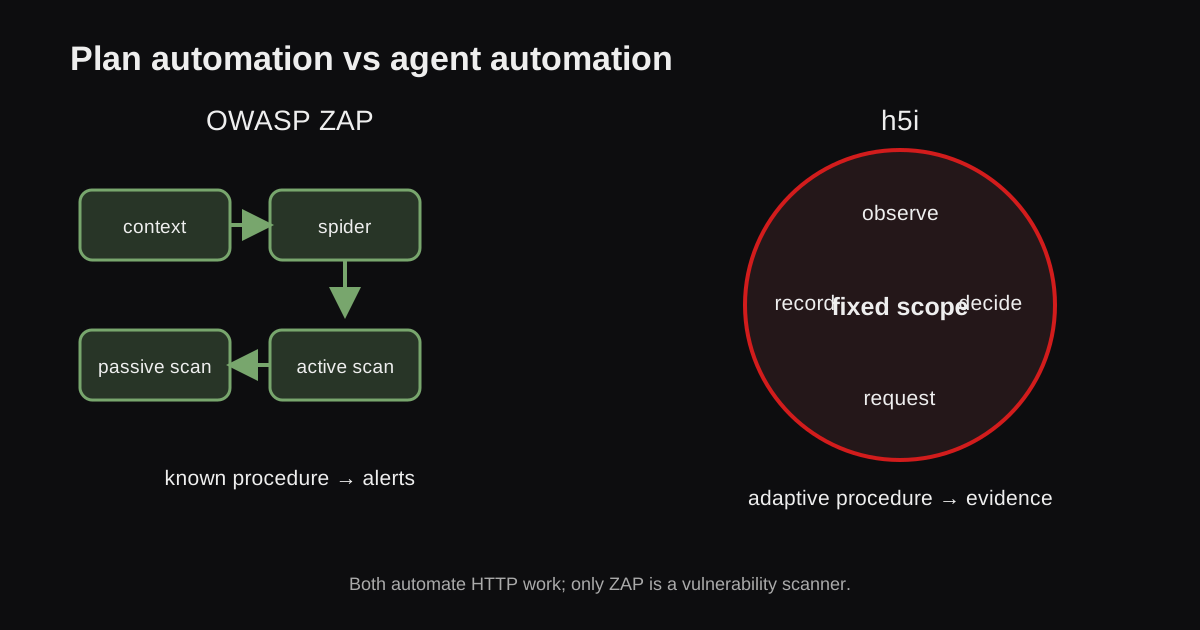
ZAP is especially useful when the question is whether a site passes repeatable automated checks. Its automation framework and CI integrations can run a known scan plan without a live agent deciding every next request. An agent can also drive ZAP's API. A scanner finding still needs human interpretation; authentication and business logic often require a more directed investigation. See the ZAP documentation.
Caido: a proxy workspace with agent access
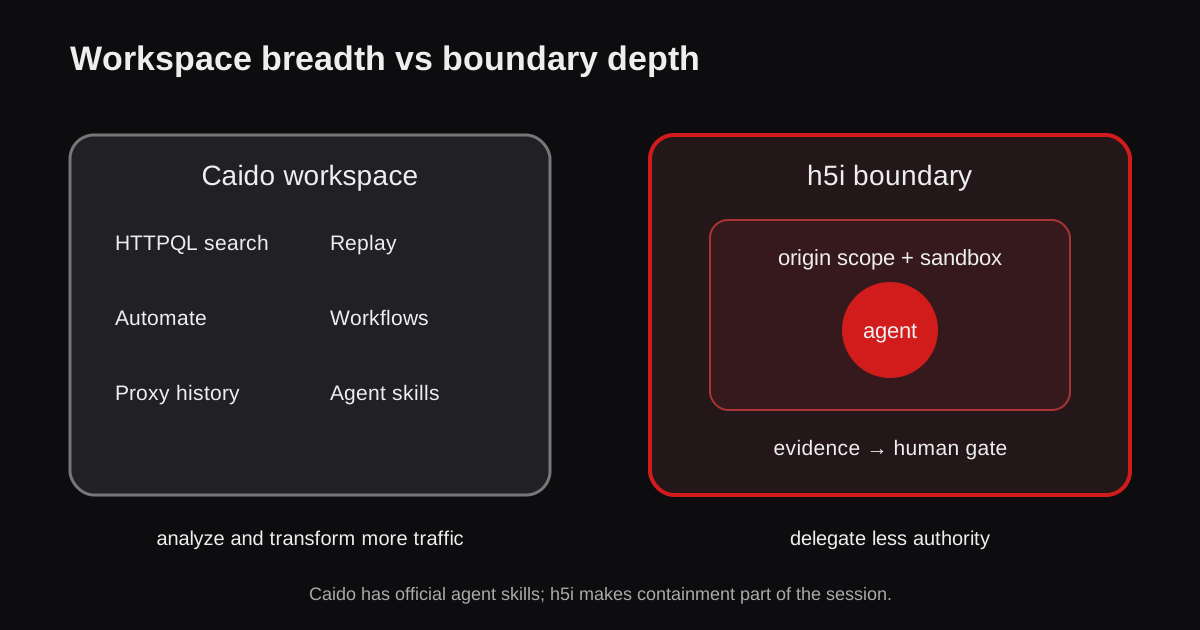
Caido combines a modern interactive proxy with extensibility and agent-facing interfaces, including Caido Skills. It suits teams that want the proxy as the shared source of request history while a human or agent uses its testing tools. The exact agent permissions and integrations depend on the installed setup.
h5i: browser and HTTP control from a CLI
h5i starts from the agent's sequence of actions: navigate in a browser, inspect its requests, discover endpoints with recon, edit and replay selected HTTP traffic, and retain the observed request and response context. It does not require the target application to use h5i-app. This makes it a natural fit when a coding agent already has a terminal and needs to investigate an authenticated workflow rather than operate a separate desktop proxy.
Its strength is the continuity between page behavior and request testing. Its limit is equally important: a request difference is evidence to investigate, not an automatic vulnerability finding. A broad scanner or manual specialist tool may be a better first choice for other jobs. The red-teaming guide shows the runnable workflow.
One suspected IDOR, four working styles
Suppose a tester notices that an invoice URL contains an object identifier. The investigative question is whether Alice can read Bob's invoice. Each tool offers a different path to the same comparison:
- Burp: capture the request, change the identifier in Repeater, and inspect the two responses.
- Caido: keep the captured request and replay in its proxy workspace, potentially shared with an agent.
- ZAP: run a planned check, then add identity-specific context and interpret any alert.
- h5i: navigate as Alice, select the browser-observed request, replay one mutation, and retain both responses.
For the h5i path, the relevant commands look like this; the request and response IDs are examples, and the target must be authorized:
h5i browser open https://target.example --allow target.example
h5i websec requests
h5i websec replay req_42 --set query.id=456
h5i websec diff res_42 res_43
The decisive evidence is not that two responses have different lengths. It is whether an unauthorized principal receives data or performs an operation that policy forbids. The tester must control sessions and compare the actual protected resource. This is where product capability and test design separate: no interface can infer the intended ownership rule from an HTTP status code alone.
Agent access changes the trust boundary
An agent that can browse authenticated pages and replay requests can also make unintended changes or send sensitive material. The tool interface should make scope, credentials, and retained evidence clear. Proxy integrations expose their own permissions; a CLI exposes commands to the agent's existing runtime. Neither form is inherently safe. For high-risk tasks, run the investigation in a restricted environment and review the request history before treating the agent's report as a finding.
Choose by task, then combine where useful
- Deep manual investigation: Burp or Caido gives a rich proxy workspace.
- Scheduled automated scans: ZAP provides a repeatable scan plan.
- Agent-led browser-to-request exploration: h5i exposes the loop directly to CLI tools.
These are choices about workflow, not a ranking of security coverage. A team can use ZAP for recurring scans, Burp or Caido for focused manual work, and h5i for agent-driven reproduction. Confirmed h5i findings can become versioned regression tests; see Security Regression Testing. Test only systems you own or are authorized to assess.
Contain the workSandboxing AI Agents: Isolation, Security, and Prompt Injection
Consider what an investigating or coding agent can reach.
Run an authorized investigation
Use the browser, recon, and HTTP tools against an application in scope.